Consumer Reports
- 3.5
- Rating
- 500.00K
- Installs
- Free
- Price

 Analysis by App-foxy
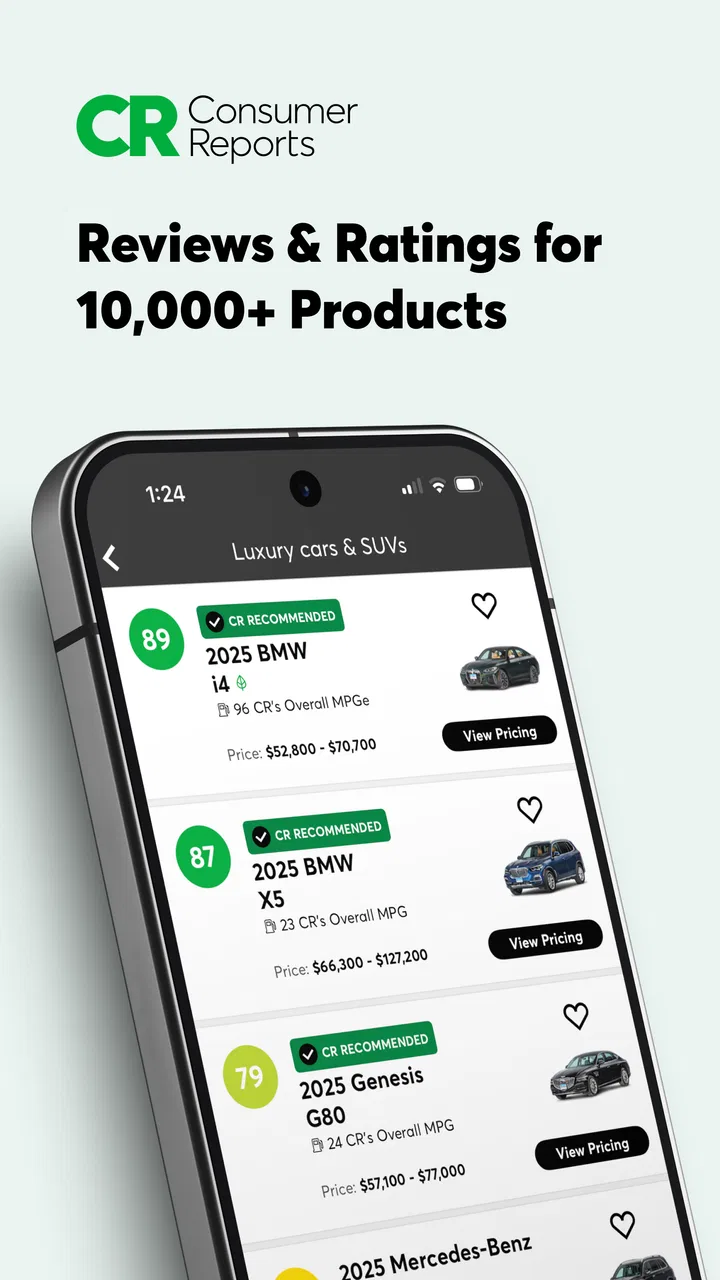
I approached Consumer Reports as a shopping companion rather than a traditional store app. Its value is not in helping me place an order or track a delivery; it is in giving me a more informed way to compare products before I spend money. That distinction matters, because the app works best when I open it before a purchase decision, not when I am already looking for coupons, stock alerts, or a retailer’s checkout page.
The app comes from Consumer Reports, Inc., and it is free to install. It is listed for Everyone, runs on devices using OS 9 or later, and has built a substantial audience with over 500 thousand installs. The current release is version 5.10.1-785. Its average score sits at 3.7 from around 4.6 thousand ratings, with roughly 1.6 thousand written reviews, so the reception is useful but clearly mixed rather than universally enthusiastic.
Where the shopping experience can get stuck
The first point of friction is understanding what kind of help I am getting. Consumer Reports is not a replacement for Amazon, a supermarket app, a price-comparison service, or a retailer’s own application. I use it to research products, read evaluations, and make sense of buying advice. If I expect a complete shopping journey from discovery to payment, the experience can feel incomplete even when the research itself is valuable.
You May Also Like

 AccuWeather: Weather Radar
AccuWeather Review: A Quick, Clear Forecast for Everyday Decisions
For everyday plans, the best forecast is the one you can understand quickly. AccuWeather makes rain timing, radar, and local conditions easy to act on, with a few trade-offs.

 Hill Climb Racing
Why Hill Climb Racing Still Turns Crashes Into One More Run
A tiny car, a bumpy hill and one more upgrade: Hill Climb Racing keeps resurfacing because its simple chaos makes every near-miss feel personal.

 AliExpress - Shopping App
AliExpress Makes Global Shopping Feel Personal, but Shoppers Bear the Risk
AliExpress turns a global marketplace into a pocket-sized discovery engine. Its reach is useful, its shopping loop compelling, and its trade-offs easy to miss.

 Lords Mobile: Kingdom Wars
Lords Mobile Is a Kingdom-Building Routine, Not a Quick Match
A case-by-case verdict on the building, battles, device demands, and social commitments that make Lords Mobile rewarding for some players and exhausting for others.

 PDF Scanner app - TapScanner
TapScanner Makes Paperwork Easier to Capture, Check, and Share
TapScanner makes scanning with a phone feel less like a rescue operation and more like a dependable step in getting work done. Its capture tools are useful, though not flawless.

 Block Blast!
 Shows How Much a Puzzle Game Can Leave Out
A quiet grid game shows why puzzle players increasingly value instant clarity, repeatable skill and low-pressure play—and where the genre still needs to catch up.
More From Our News Desk
View All News


That difference becomes obvious when I am standing in a shop with two similar products in front of me. The app can help me slow down and check which model deserves attention, but it does not remove every practical question. A recommendation does not automatically tell me whether a particular branch has stock, whether the shelf price is current, or whether a retailer’s return policy suits my situation. I still need to verify those details elsewhere.
Another possible sticking point is access to the depth of the service. The app is free, but in-app purchases range from ten dollars to thirty-nine dollars per item. That means I would not assume every article, rating, or piece of advice is available in exactly the same way without checking what the app presents on my device. The free installation is convenient, but “free to install” and “every piece of content is free” are not the same promise.
I also found that research apps reward a deliberate search style. A rushed query such as a broad product name may leave me with too many possibilities or not enough context. I get better results when I identify the exact type of purchase first: a washing machine, a laptop, a vacuum cleaner, or a car seat, for example. Then I compare the specific models instead of treating an entire product category as if all items had the same strengths.
The most useful habit is to treat the app as a decision filter, not as the final shopping authority. I use it to narrow the field and understand trade-offs, then confirm price, availability, compatibility, warranty terms, and delivery details with the seller. That two-step approach prevents a strong review from being mistaken for a guarantee that a product is right for every household.
Why a result may feel less helpful than expected
Product research is personal. A highly regarded item may still be a poor choice if it does not fit my budget, room size, phone ecosystem, family needs, or tolerance for maintenance. When I read a rating, I look for the reasoning behind it rather than stopping at the score. A recommendation is most useful when it explains what the product does well and where it gives something up.
That is also where the app differs from ordinary customer reviews. Retailer comments can reveal packaging problems, delivery experiences, or long-term annoyances from individual owners. Consumer Reports is more useful for a structured evaluation and buying advice. I would use both sources when the purchase is expensive: professional-style guidance for the shortlist, then recent owner feedback for practical issues that may appear after delivery.
Setup checks that make research smoother
There is not much setup in the conventional sense, but I still recommend preparing before relying on the app in a store. First, I make sure the device meets the minimum OS requirement of version 9. If the phone is older, the problem may be compatibility rather than the app itself. Updating the operating system, when the device supports it, is a sensible first check before assuming the service is malfunctioning.
Next, I install the latest available release shown for the app. The version listed is 5.10.1-785, and keeping an app current is especially important when I am using it for live research rather than casual browsing. If pages behave strangely, searches fail, or content does not load properly, I close and reopen the app after checking for an update. This is basic troubleshooting, but it eliminates a surprising number of avoidable problems.
I also prepare a shortlist outside the app. Before comparing products, I write down the model numbers, sizes, or essential requirements that matter to me. For a refrigerator, that might include width and energy needs. For headphones, it could be comfort, connection type, and noise control. This prevents me from searching by vague brand names and makes the information I find easier to apply.
When I am researching a purchase on mobile data, I prefer to open the relevant pages before entering a weak-signal area. I do not depend on a shopping research app to behave perfectly in a basement, a large store, or a crowded public network. If something matters, I save the model names and the key points in my notes as a backup. That is not a criticism unique to this app; it is a practical safeguard for any service that depends on an active connection.
Because the content can involve paid access, I pay attention to what I am being asked to unlock before confirming an in-app purchase. The listed range is ten to thirty-nine dollars per item, so I would not tap through quickly while comparing products. I first decide whether the additional material is relevant to the purchase I am making, and I check that I am using the correct account and store confirmation flow.
A better way to compare two products
My preferred workflow starts with requirements, not brands. I list the features I genuinely need, separate them from nice-to-have extras, and then use Consumer Reports to investigate the candidates. This helps me avoid a common mistake: choosing the product with the longest feature list even though half of those features add cost without solving a real problem.
I then read the advice in both directions. I look for the reasons a product is appealing, but I also search for the compromises. Does a lower price involve weaker durability? Does a compact design reduce capacity? Does convenience create a cleaning or maintenance burden? This kind of trade-off is more useful than simply asking which model is “best.” The right answer depends on what I am willing to sacrifice.
For a major purchase, I take a screenshot or note of the model identifier and the date I researched it. I do this because product lines often contain nearly identical names, and a retailer may display a variation that is not exactly the one I evaluated. The app helps me make an informed shortlist, but careful model matching is still my responsibility.
Recovering when the workflow breaks
If a search does not produce what I expect, I start with the wording. I remove unnecessary terms, search for the product category, and then narrow the results using the exact brand or model. If the app shows a broad result, I check spelling and model numbers rather than repeatedly refreshing the same query. This is usually more productive than assuming the content has disappeared.
If the app opens but a page will not load, I switch between Wi-Fi and mobile data when possible, then restart the app. I also check whether other apps can reach the internet. If everything else is offline, the issue is probably the connection rather than Consumer Reports. If only this app is affected, updating it and restarting the device are reasonable next steps before reinstalling.
Reinstalling is something I leave until later because it can interrupt my research and may require me to sign in again. Before doing it, I record the product names I was comparing and any information I need for the purchase. That small precaution keeps a technical problem from turning into a lost shortlist at the exact moment I need it.
When content appears different from what I remember, I check whether I am looking at a different model or category. A nearby model can have a similar name but a different evaluation. I also avoid treating an old note as a permanent verdict. Product availability, retailer pricing, and competing alternatives change over time, so I use the app to refresh my thinking rather than assuming one past search settles every future purchase.
There is another recovery technique I find useful: separate the research task from the buying task. If I am overwhelmed, I stop trying to compare ten products at once. I reduce the list to two or three, write down the decisive differences, and then verify the practical details with the retailer. This makes the app feel less like a catalogue to browse endlessly and more like a tool for reaching a decision.
Handling paid content and account hesitation
If a purchase prompt appears, I ask whether it answers a question that could change my decision. For an inexpensive item, paying for extra research may not make sense. For a costly appliance or electronic device, deeper guidance may be worth considering if it addresses reliability, performance, or a major ownership concern. The important point is to connect the purchase to a specific decision, rather than unlocking material simply because it is available.
I also keep my expectations realistic about the app’s free status. The initial download costs nothing, but the presence of in-app purchases means the complete experience may involve optional paid items. I would explain that clearly to anyone in my household who uses the app, especially if a shared device has purchase approval enabled.
When the app is not the cause of the problem
Sometimes the app is working correctly and the frustration comes from the shopping situation. A product may be unavailable because a retailer has no stock, not because the review service is wrong. A price may differ because the store is showing a promotion, a bundle, a regional offer, or a different model. A recommendation may seem unsuitable because my requirements were never entered into the decision in the first place.
This is why I never use a Consumer Reports result as the sole check before buying something that must fit a precise space or system. I measure the space, verify compatibility, confirm included accessories, and read the seller’s return conditions. For products involving safety, children, health, or installation, I take those extra checks especially seriously. A research score cannot replace the instructions or requirements that apply to my particular situation.
The app is also not the best choice for every shopping mission. If I already know the exact item and only want the fastest delivery, a retailer app is more direct. If my priority is finding the lowest current price across many sellers, a dedicated price-comparison service may be more suitable. If I want personal opinions from owners, retailer reviews and specialist forums can add a different kind of evidence.
Where this app earns its place is earlier in the process, when I am unsure which products deserve my money. It gives me a reason to pause before being influenced by packaging, a prominent shelf position, or a persuasive advertisement. That is particularly useful for purchases where the cheapest option is not necessarily the best value and the most expensive option may include benefits I will never use.
A realistic everyday scenario
Imagine I need to replace a vacuum cleaner. I would first decide whether the important issue is carpet performance, hard-floor cleaning, weight, storage, or ease of emptying. I would use the app to compare suitable models and read the advice around their strengths and compromises. Then, in the shop, I would match the exact model number, check what comes in the box, test the weight if possible, and compare the current price with the value suggested by the research.
If the app is slow inside the store, I would not keep standing in the aisle refreshing it. I would use the shortlist I prepared at home, move to a better connection, or return to the saved notes. If the store offers a different model, I would research that exact model rather than assuming it is equivalent. This workflow makes the app useful without making the purchase dependent on a perfect mobile connection.
For a larger purchase, I would add a second pass after reading the app. I would check owner feedback for recurring complaints, confirm warranty and return information, and ask whether replacement parts or consumables are easy to obtain. Those details may decide the purchase even when two products appear close in overall quality.
My practical verdict after using it
Consumer Reports is a worthwhile shopping research app for people who want more structure than random online opinions provide. I especially recommend it for expensive or confusing purchases, where a little preparation can prevent a costly mistake. Its connection to Consumer Reports, Inc. gives the app a clear identity, and its focus on ratings, reviews, and advice makes it more useful before checkout than during checkout.
I would not recommend installing it expecting a complete retail experience. It does not replace a seller’s inventory system, a delivery tracker, or a bargain-hunting tool. I would also be cautious if I only want free content, because optional in-app purchases cost between ten and thirty-nine dollars per item. The app is strongest when I am willing to read, compare, and think rather than simply accept one headline recommendation.
The age rating of Everyone makes it broadly approachable, and the long-running availability since June 24, 2014 suggests that it is an established shopping resource rather than a short-lived experiment. Still, the 3.7 average tells me to keep expectations balanced. I see it as a useful second opinion and research aid, not an infallible judge of every product or a substitute for checking my own needs.
My final advice is simple: install it before you need to buy, build a short list, record exact model numbers, and use the guidance to identify trade-offs. Then confirm the details that only the retailer or manufacturer can provide. If you want calmer, better-informed shopping decisions, this app is worth trying; if you only want the quickest route to a checkout button, another shopping tool will probably suit you better.
FAQs for Consumer Reports
01What is Consumer Reports, and how does it benefit me?
Consumer Reports is a trusted application that offers unbiased reviews and ratings for a wide range of products and services. By using this app, you'll gain access to detailed insights and comparisons, helping you make informed purchasing decisions. Whether you're buying electronics, appliances, or cars, Consumer Reports provides reliable information to guide your choices.
02Is a subscription required to use Consumer Reports?
Yes, Consumer Reports requires a subscription for full access to its comprehensive reviews and ratings. While some content is available for free, a subscription unlocks detailed reports, comparisons, and expert advice. This ensures you get the most reliable and in-depth information to support your consumer decisions.
03How frequently is the content updated in Consumer Reports?
Content in Consumer Reports is regularly updated to reflect the latest market trends and product releases. The app's team of experts continually reviews new items, ensuring that you always have access to the most current and accurate information. This ongoing update process makes Consumer Reports a valuable tool for staying informed.
04Can I access Consumer Reports on multiple devices?
Yes, Consumer Reports can be accessed on multiple devices, including smartphones, tablets, and computers. This flexibility allows you to check reviews and ratings whether you’re at home, in a store, or on the go. A single subscription provides access across all your devices, making it convenient to use anytime, anywhere.
05How reliable are the reviews and ratings in Consumer Reports?
The reviews and ratings in Consumer Reports are highly reliable, as they are based on unbiased testing and expert analysis. The app does not accept advertising, ensuring that its evaluations remain impartial and focused solely on consumer interests. This commitment to integrity makes it a trusted resource for millions of users.
Pros
- User-friendly interface enhances navigation.
- Comprehensive product reviews available.
- Reliable ratings guide purchasing decisions.
- Ad-free experience for subscribers.
- In-depth safety and recall information.
Cons
- Subscription required for full access.
- Limited international product reviews.
- Occasional delayed updates on new products.
- Some features only available on desktop.
- No offline access to full content.

Consumer Reports
Gallery